
Online booking for businesses in Cape Verde Your next client picks a time while you work.
Clients pick a time through your link or the KiHora app. You approve each request in one schedule.
30 days free from account creation. No card.
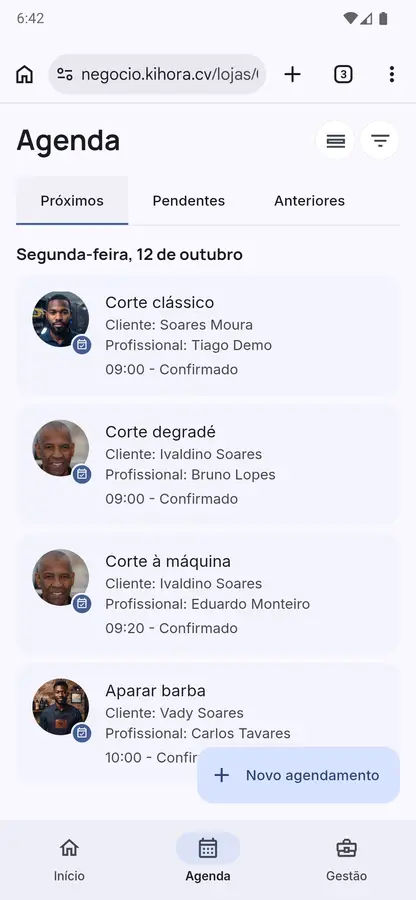
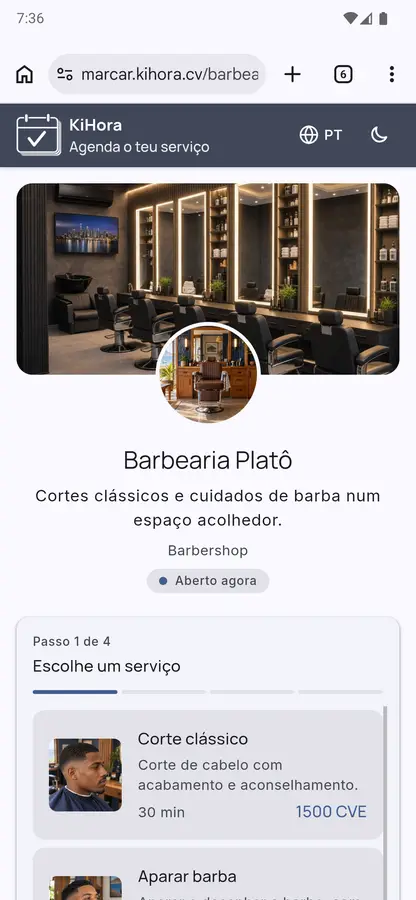
-
By link or app
Clients can open your link on a computer or phone, or use the KiHora app for iOS and Android.
-
You control the schedule
Set your hours and approve each request.
-
No commission per booking
Pay a flat monthly fee after the free trial.
One schedule for every booking.
Keep online requests, phone bookings and walk-ins together.
Clients choose. You approve.
Only available times appear within the hours you set. Each request includes the service, professional and time the client chose.
Clear schedules for the whole team.
Set each professional’s services, hours, breaks and closed days. Clients see the availability of the person they choose.
Phone and walk-in bookings count too.
Add them to the same schedule and find returning clients again.
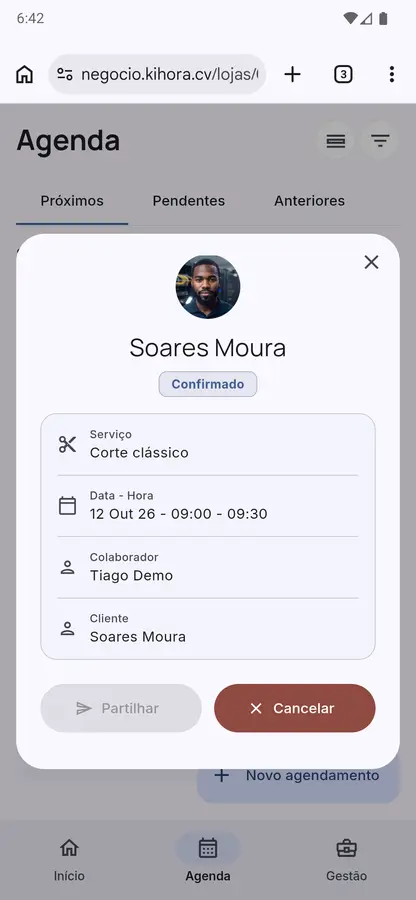
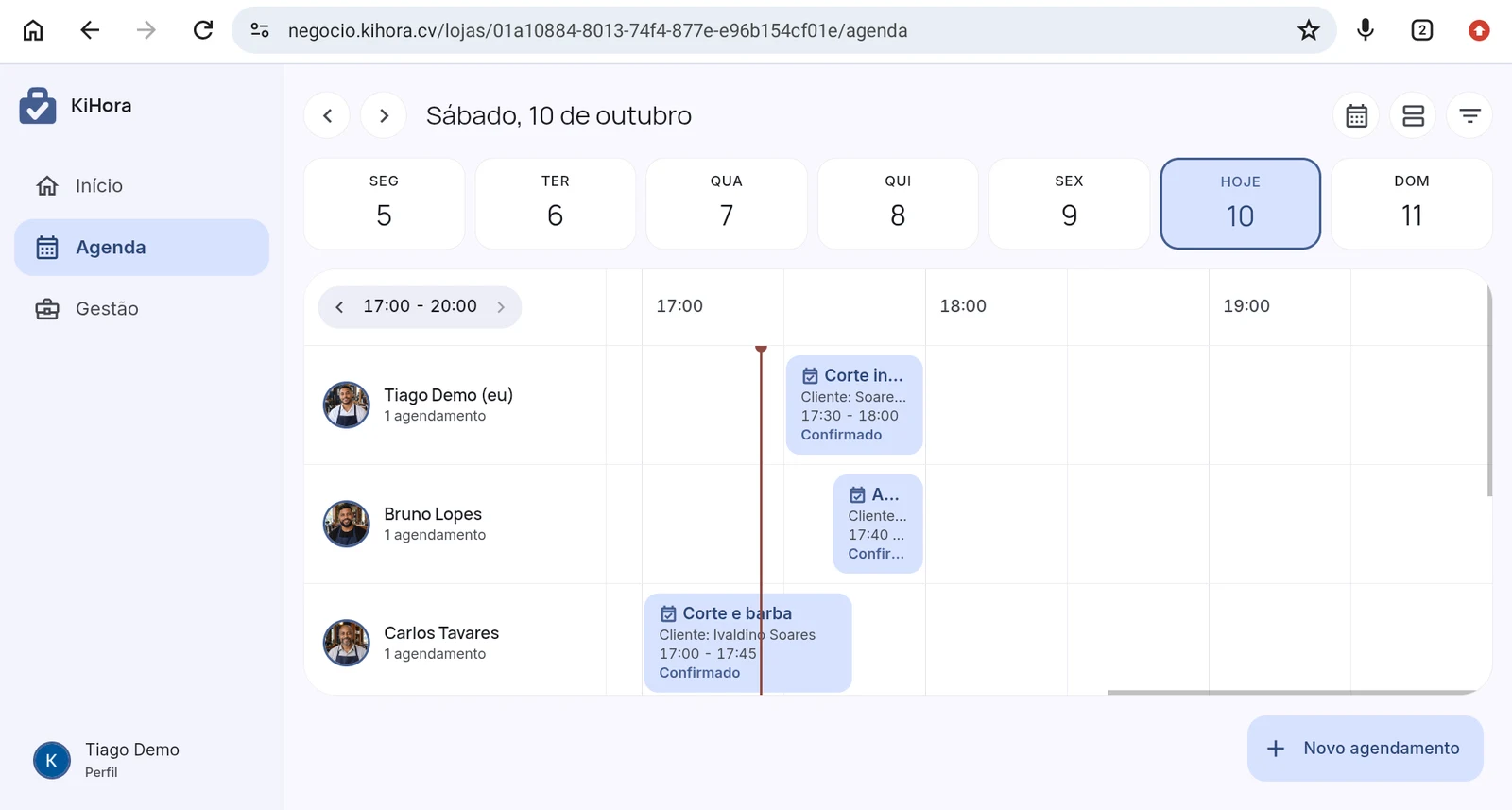
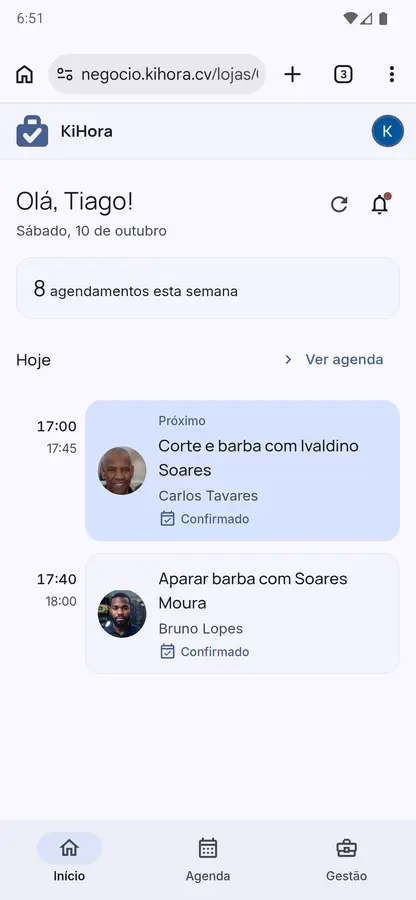
Your whole team’s schedule on one screen.
See who is seeing whom, and when. It works on a computer, tablet or phone, at negocio.kihora.cv.
Try it for 30 days. Know the price after that.
One subscription per business, for you and your whole team. After the free trial, pay a flat monthly fee. We do not charge per booking.
Founder offer
Limited to the first 10 businesses.
1400 CVE /month
Keep the 1400 CVE/month rate while your subscription stays active.
- 30 days free from account creation
- No card required
- No commission per booking
- Pay by bank transfer
- You can cancel anytime
Includes
- Access for you and your whole team
- A schedule and working hours for each professional
- A booking page to share by link
- Online, phone and walk-in bookings in one place
- Automatic reminders 24 hours and 1 hour before
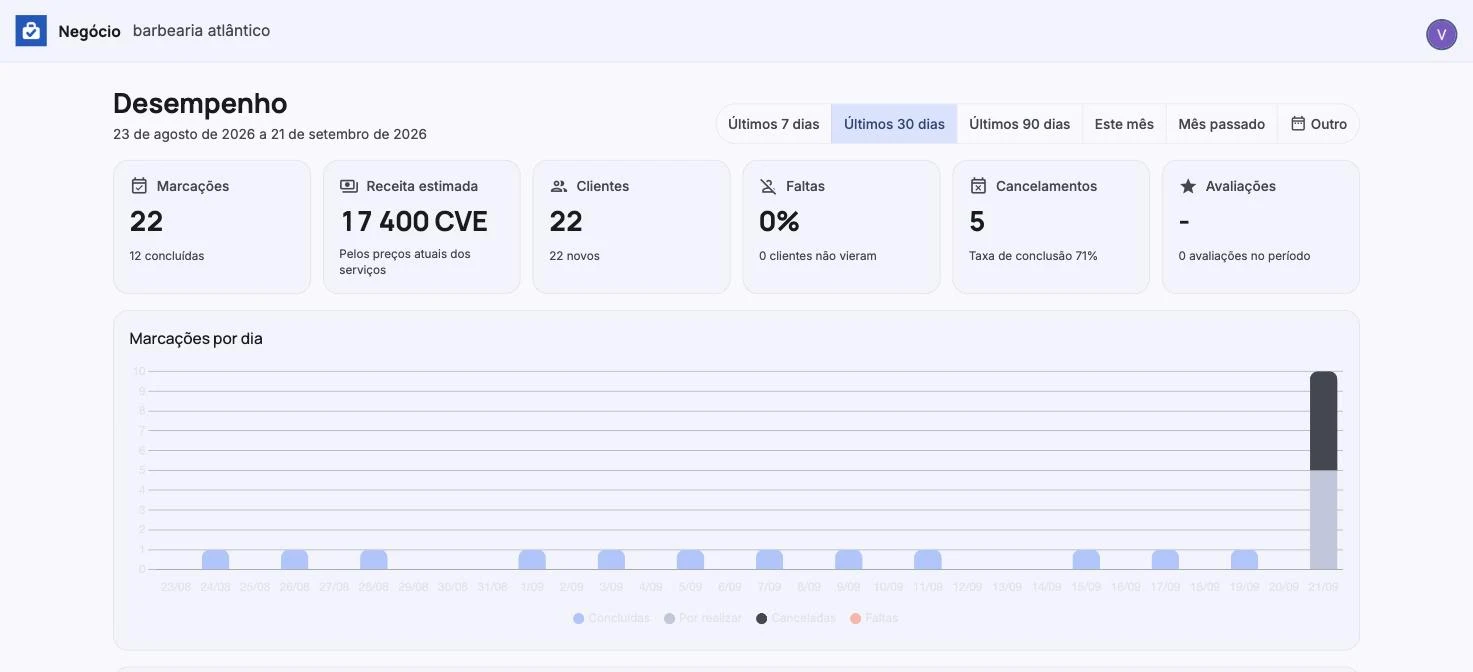
- Reports on bookings, estimated revenue and no-shows
See what fills your schedule.
Check bookings, estimated revenue, returning clients and no-shows without adding them up by hand.
- Bookings by day, service and professional
- Estimated revenue in CVE
- New and returning clients
- No-shows
- Days and times with the most bookings
- Booking source: app or walk-in
Manage everything at negocio.kihora.cv, on a computer or phone. Open KiHora Business
On Android, there is also a business app.

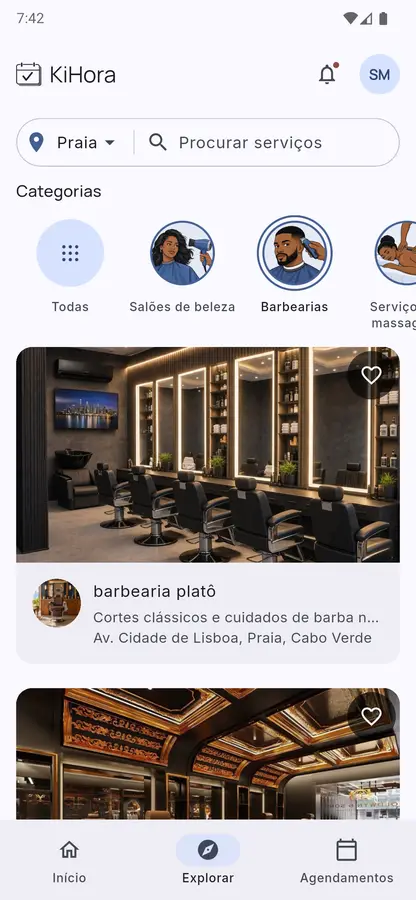
Here is how a client requests an appointment.
Share your link or let clients find you in the KiHora app for iOS and Android.
- They find your business
- In the app, they can search by category, city or proximity and see services, prices and hours.
- They choose a time and send a request
- Through your link or the app, they choose a service, professional and time. You receive the request to approve.
- They receive reminders
- KiHora sends reminders 24 hours and 1 hour before the appointment.
These are fictional examples. Try a booking page:
- Praia Med · Clinic in Praia
- Barbearia Platô · Barbershop in Praia
- Pele Serena · Aesthetics in Mindelo

Questions before you start.
What does KiHora do?
It gives your business a page for booking requests and one schedule to manage them. Clients choose a service, professional and time; you approve the request. You can also add phone and walk-in bookings.
What does it cost after 30 days?
Creating an account is free, and your 30-day trial starts then. After that, the founder rate is 1400 CVE/month per business, whole team included, for the first 10 businesses; you keep that rate while your subscription stays active. The standard rate is 2000 CVE/month. There is no booking commission.
How do I pay?
By bank transfer. Our team records the payment on your business account.
Do clients need to install the app?
No. Your link opens in a browser on a computer or phone. The KiHora app for iOS and Android is another option. You approve each request.
Do I need a computer?
No. KiHora Business runs in the browser at negocio.kihora.cv, on a phone or computer. On Android, there is also a business app.
Which languages are available?
KiHora Business and the client app offer Portuguese, English and Kriolu. The web booking page offers Portuguese and English.
Can I use KiHora outside Praia?
Yes. The app includes Praia, Mindelo, Santa Maria, Espargos, Assomada, São Filipe and Tarrafal. If your city is not listed, talk to us.
Can I cancel?
Yes. The business subscription is monthly and you can cancel it anytime.
Start in three steps.
-
Create an account
Create your account at negocio.kihora.cv with Google or Apple. Your 30 free days start then. No card required.
-
Set up your booking page
Add services, prices, team members, hours and photos. We can help over WhatsApp.
-
Publish and receive requests
After you publish, clients can use your link or the app.
Ready to receive requests through your link?
Start freeWant help setting it up?
We can show you KiHora and set up services, team members and hours with you over WhatsApp.
Ask for a WhatsApp demo